Smarter Decisions, Higher Profits: How Shoprofy Turns Shopify Data Into Actions
A Shopify store can have strong sales and still lose margin. The real question is not only how much revenue came in, but which products, costs, campaigns, stock risks, and seasonal moments need attention today.
Core idea
4 action signals
Key takeaways
- Shoprofy connects revenue, costs, fees, shipping, refunds, discounts, and ad spend into one real profit view.
- Seller Coach highlights what the merchant should do next instead of only showing charts.
- Inventory restock alerts and special day signals help merchants prepare before profit opportunities are missed.
Profit decisions need more than sales reports
Revenue shows activity, but it does not show whether the store is healthy. Product costs, Shopify fees, shipping, refunds, discounts, and ad spend all change the final profit picture.
Shoprofy brings those layers into one dashboard so merchants can see real net profit and understand what is driving it.
- Real-time profit tracking
- Product and order-level margin
- Shipping, fee, discount, and refund impact
- Facebook Ads and Google Ads spend context
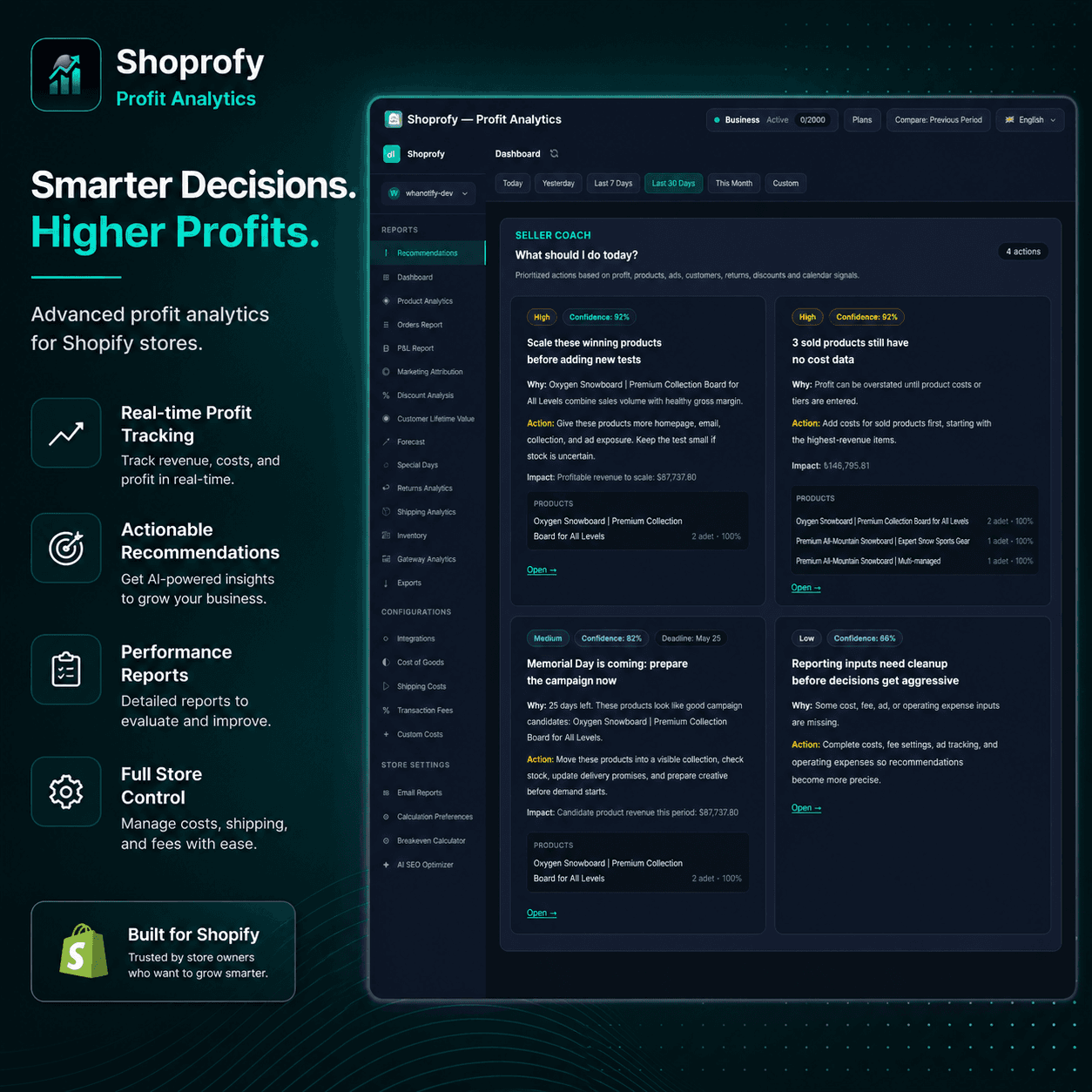
Seller Coach turns analytics into daily actions
Dashboards become more useful when they point to the next decision. Seller Coach prioritizes actions based on profit, products, ads, customers, returns, discounts, stock, and calendar signals.
Instead of reading every report manually, a merchant can start with the issues that are most likely to protect margin or unlock cleaner growth.
- Promote products with strong margin and demand
- Add missing product costs before profit is overstated
- Prepare campaigns for upcoming special days
- Clean up reporting inputs before scaling spend
Inventory and special days are part of profit planning
A profitable product can still create a problem if it runs out of stock. Shoprofy uses recent order velocity to estimate stockout risk and suggest replenishment quantities.
The special day radar adds another layer by showing holidays, seasonal events, and shopping moments that may affect demand. That gives merchants time to prepare stock, campaigns, pricing, and creative before the rush starts.
Reports keep the team aligned
Daily and weekly email reports help merchants review performance without opening multiple tools every morning.
When profit tracking, recommendations, inventory alerts, and special day planning sit together, the dashboard becomes a daily operating system for the store.
Next step
Turn reporting into action
Use Shoprofy to connect product costs, fees, shipping, refunds, and ad spend in one dashboard so these insights become daily decisions instead of isolated reports.
Related insights
View all →Profit Analytics
Why Shopify Revenue Is Not Profit
Revenue can make a Shopify store look healthier than it really is. True profit only appears after product costs, fees, shipping, refunds, discounts, and ad spend are included.
Operations
Seller Coach Turns Shopify Analytics Into Actions
Dashboards are useful, but merchants also need priorities. Seller Coach highlights what to fix today based on profit, products, ads, customers, returns, discounts, and calendar signals.
Profit Analytics
Why We Built Shoprofy for Shopify Merchants
Shoprofy was built for merchants who need more than revenue dashboards. Here is how true profit, ads, SEO, products, and operations come together in one workspace.